


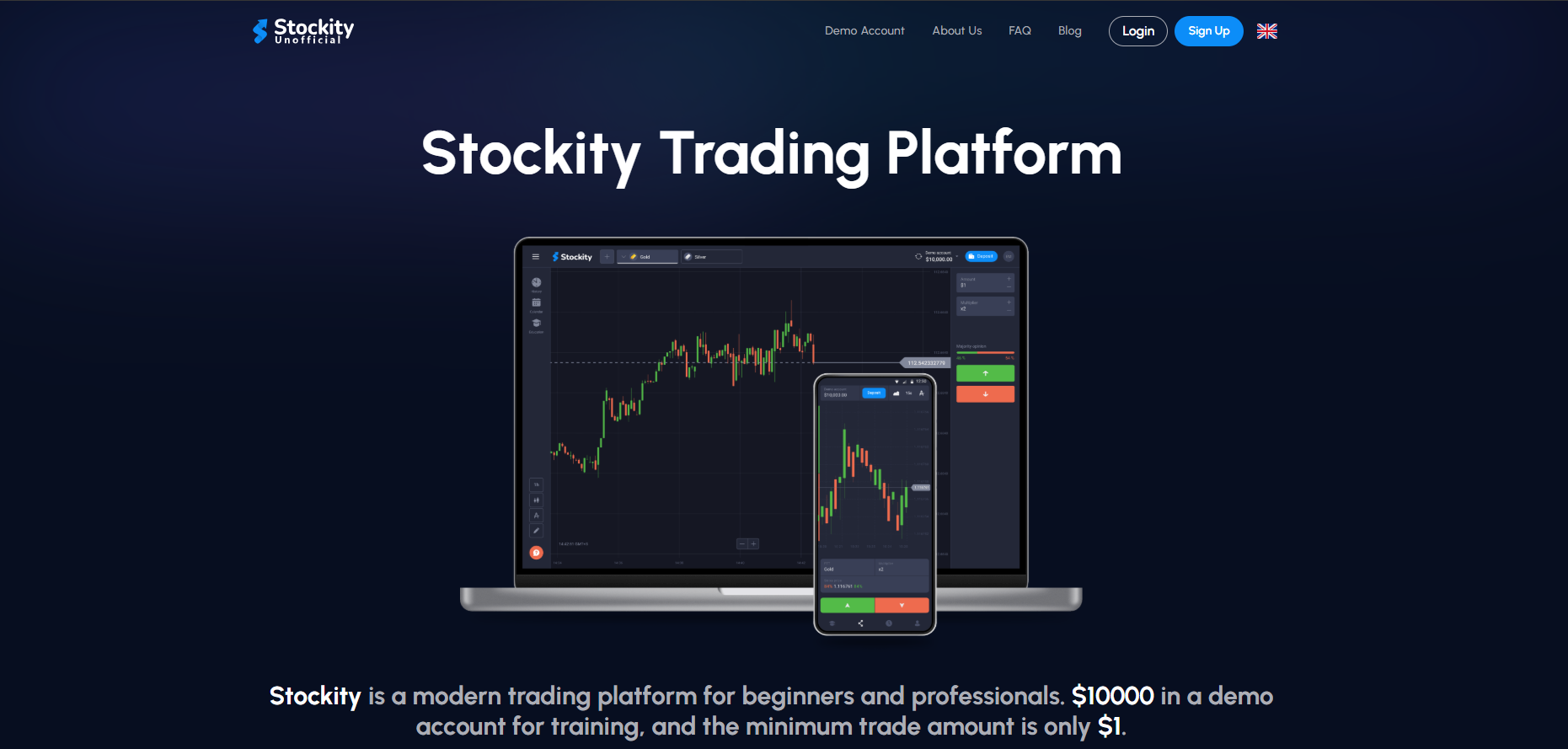
Stockity: A Platform for Easy and Confident Trading
Stockity delivers a seamless trading experience by combining simplicity with advanced features designed for both new and seasoned traders.
Overview: What Is Stockity?
Stockity is a modern web-based trading platform designed to balance simplicity and power. It combines fast execution, real-time charting, educational tools, and secure account handling. Stockity targets traders who want a reliable, low-latency environment with the features necessary for both short-term tactics (scalping, day trading) and longer-term strategies (swing trading, position trading).
This guide covers why Stockity matters, how to use it effectively, and how to avoid common pitfalls that cause losses — because the platform alone does not guarantee profit; skillful usage does.
Key Strengths & Core Features
Fast Execution
Order latency matters. Stockity optimizes order routing and matching so that market orders and limit orders are executed with minimal delay — often below 1 second under normal conditions.
Real-time Charting & Indicators
Candlesticks, volume, MA, RSI, MACD, Bollinger Bands — available and configurable. Charting updates in real time so your decisions are based on the freshest price action.
Demo Account & Onboarding
Stockity provides a demo account with virtual funds (e.g. $10,000) so beginners test strategies without risking real capital.
Security & Compliance
Multi-layer encryption, secure session handling, and account protections such as 2FA help safeguard funds and data.
How Stockity Fits Different Trader Profiles
Stockity is designed to be flexible. Below are practical recommendations for different trader types.
Beginners
Start with a demo account, study guided tutorials, and practice risk-management basics: position sizing, stop-loss, and journaling.
Intermediate Traders
Use multi-indicator setups, backtest ideas on demo, and practice trade execution to minimize slippage.
Professional / Algo Traders
Expect low latency, predictable fills, and advanced order types to implement automated strategies.
Step-By-Step: Getting Started on Stockity
- Create an account: Register using a secure email and enable 2FA.
- Try demo mode: Familiarize with chart controls, market watchlists, and order entry.
- Deposit funds: Start small — practice with real money conservatively.
- Set up a watchlist: Add the instruments you want to monitor closely.
- Paper trade strategies: Keep a trading journal and log each trade’s rationale.
In-Depth: Technical Tools & Charting
Stockity supports the common toolkit traders rely on. Here are practical ways to combine indicators:
- Trend confirmation: Use 50/200 EMA crossover for long-term trend direction.
- Momentum entry: Use RSI divergence + MACD histogram to spot early momentum shifts.
- Volatility & exits: Use ATR for dynamic stop-loss placement and Bollinger Bands for expansion/contraction signals.
Example: Momentum Entry Workflow
- Identify trend on a 1H chart with 50 EMA above 200 EMA (uptrend).
- Switch to 5–15 minute chart, find pullback near 50 EMA.
- Look for RSI > 40 and a bullish MACD histogram ramping up.
- Enter on a bullish candle close, stop-loss below the recent swing low (or ATR-based stop).
- Take partial profits at defined targets and trail stop for winners.
Risk Management: The Non-Negotiable
Successful traders focus primarily on risk control. Here are essential practices to reduce blow-ups:
- Fixed risk per trade: Risk a small percentage (1–2%) of the account per trade.
- Use stop-losses: Define where you will exit if the trade is wrong before entering.
- Position sizing: Calculate size using stop distance and risk percent.
- Limit correlated exposure: Avoid multiple trades on highly correlated instruments simultaneously.
Common Mistakes & How to Avoid Them
Overtrading
Trading too frequently lowers edge due to fees, spreads, and poor setups. Stick to your plan.
Ignoring Fees & Slippage
Always account for execution costs — they can turn small edges negative if ignored.
Poor Record-keeping
Keep a trading log with reasons, outcome, and lessons. It accelerates learning.
Chasing Losses
Stick to risk limits. Avoid doubling down emotionally — you risk ruin that way.
Advanced Topics: Automation, Backtesting & APIs
For advanced traders, Stockity can be part of an automated workflow. Whether you use simple scripts or full trading bots, consider these steps:
- Backtest strategies on historical data before risking capital.
- Paper trade the strategy in demo mode to verify live behavior.
- Start small when moving to live automation; monitor for edge cases.
Educational Resources & Community
Stockity supports learning via tutorials, webinars, and community groups. If you’re beginning, join demo contests, attend live webinars, and ask questions in community channels to accelerate learning.
Comparison: Stockity vs. Typical Platforms
| Factor | Stockity | Other Platforms |
|---|---|---|
| Execution Speed | Very fast (<1s typical) | Varies, sometimes delayed |
| Charting | Real-time, many indicators | Basic to intermediate |
| Security | Strong encryption & protections | Varies |
Practical Example: A Full Trade Walkthrough
This example shows the entire workflow — from idea to exit — using Stockity features.
- Setup: Open Stockity, add symbol to watchlist, set up chart with 50 EMA, RSI(14), and volume.
- Signal: Price pulls back to 50 EMA, RSI shows bullish divergence, volume increases on the reversal candle.
- Entry: Place limit order slightly above reversal candle close. Size the position using fixed 1% risk rule.
- Stop-loss: Set below recent swing low or X * ATR distance.
- Targets: Partial profit at 1:1 R:R, move stop to breakeven, then trail stop to ride winners.
- Review: After exit, log trade details and update performance metrics.
SEO & Content Tips for Traders
If you write about trading or run a trading blog, focus on quality topics: trade tutorials, strategy breakdowns, platform reviews, and performance analysis. Use keywords naturally and answer real user questions.